
Printful Integration
Streamline Your E-commerce with Printful Integration
Introduction: The Printful integration offers a seamless way to manage custom product creation, inventory, and fulfillment for your e-commerce store. By integrating Printful, you can enhance your business operations, from product synchronization to automated order fulfillment.
How-to Steps:
1. Install the Printful App:
- Go to the App Marketplace in your platform's settings.
- Install the Printful app and connect your Mastermind account to your Printful store.
2. Authorize and Import Products:
- After successful authorization, import your Printful products into your Mastermind product catalog.
- Manually enable the imported products to be published in your online store.


3. Import Product Descriptions:
- Reduce manual effort by automatically pulling product descriptions directly from Printful’s Product catalog during the import process.
- Once imported, descriptions can be edited on the Product Details page within Mastermind to align with branding or specific needs.
- Previously imported products from Printful will remain unaffected. However, if a product is removed and then reimported, the parent description from Printful will be reapplied.
- Imported product descriptions will not be overridden during future product updates.


4. Place Orders:
- Once the products are published, customers can place orders for Printful products through your online store.
- Orders received will be automatically synced with your Printful account.

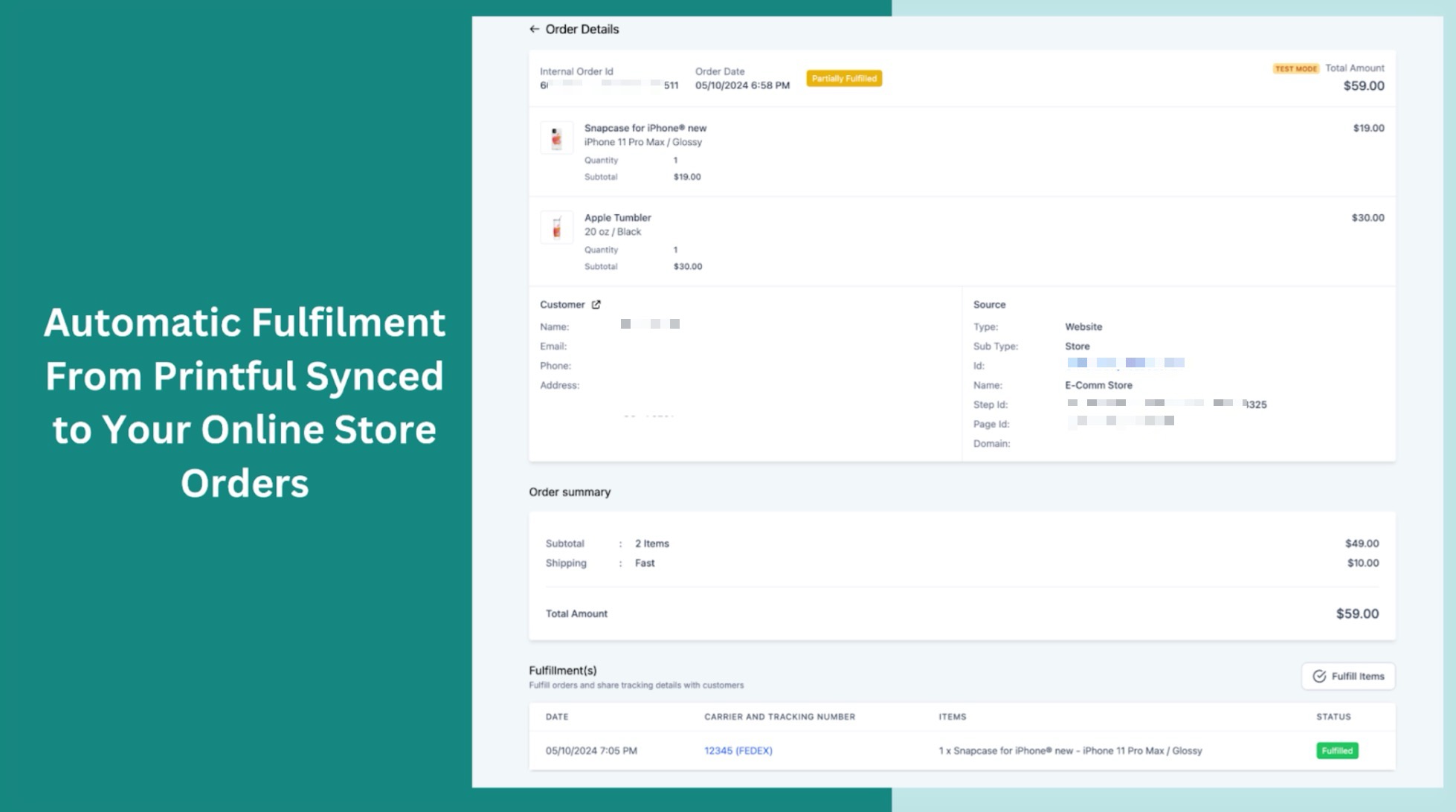
5. Receive Fulfillment Notifications:
- Upon fulfillment by Printful, users will receive email notifications with shipping details.
Benefits:
- Streamlined Operations: Integrate product creation, inventory management, and order fulfillment into one seamless process.
- Real-Time Synchronization: Keep your product and order information up-to-date with real-time synchronization between Printful and your e-commerce store.
- Automated Notifications: Get automated notifications for order status and shipping details.
Pro Tips:
- Verify Product Details: Ensure all product details are accurate before publishing, as some products may only be available for certain locations.
- Check Delivery Addresses: Make sure the delivery address is correct to avoid order creation or synchronization issues.
FAQs
Question: Will existing Printful products in my store have their descriptions updated with this feature?
Answer: No, existing product descriptions remain unchanged unless the product is removed and reimported.
Question: What happens if I reimport a previously removed product?
Answer: If a previously removed product is reimported, its original description from Printful will be added to Mastermind.
Question: What happens if the delivery address needs to be corrected?
Answer: Orders with incorrect delivery addresses will not be created or synced in Printful. Always verify address details before finalizing orders.
Question: How do I edit product descriptions after importing them from Printful?
Answer: After importing product descriptions from Printful, you can edit them on the Product Details page within your Mastermind account. These edits allow you to align the descriptions with your branding or specific needs.
Question: Does this integration support custom branding for Printful products?
Answer: Yes, you can edit imported product descriptions and details to align with your store’s branding. However, product images and mockups come directly from Printful.
Question: Are products automatically visible in my store as soon as I import them?
Answer: No. After importing products into your catalog, you must manually enable them to be published before they will appear live for customers in your online store.
Question: Can I sync products from multiple Printful stores to one account?
Answer: Generally, the integration works best when connected to one dedicated Printful store. This ensures that tax settings, shipping origins, and product catalogs remain organized and do not conflict during the automated fulfillment process.
Question: Do I need to pay Printful manually for every order?
Answer: No. You should set up a "Printful Wallet" or a saved credit card within your Printful account. When a customer pays you in Mastermind, Printful will automatically bill your saved payment method for the "base cost" of the item and shipping so they can begin production immediately.