
WhatsApp Flows: In-app Appointment Booking
The WhatsApp Flows feature offers businesses an innovative way to create interactive, guided conversations within WhatsApp for processes like appointment booking. With a user-friendly interface and intuitive guided steps, businesses can enhance engagement, simplify scheduling, and minimize drop-offs by allowing customers to book appointments directly within WhatsApp.
Key Features and Benefits:
- Interactive Conversations: With structured, step-by-step flows, users are guided seamlessly through each part of the booking process, making it easy for customers to follow along without needing additional support.
- Free service Conversations: The first 1,000 service conversations for appointment booking using WhatsApp Flows are free each month, making it a cost-effective solution to enhance customer engagement without immediate additional expense.
- Calendar Integration: Real-time syncing with calendar tools ensures customers only see available times, preventing booking conflicts.
- Pre-filled Information: Essential customer details like name, email, phone number, and time zone are pre-filled, saving time and reducing the effort needed from the customer.
- Within WhatsApp: Keeping the booking process within WhatsApp reduces the chance of drop-offs, creating a familiar and comfortable experience.
- Enhanced Efficiency: The booking process operates quickly and smoothly within WhatsApp, resulting in lower load times compared to redirecting to external sites.
Important Notes
- Payment Limitations: Calendars with enabled payments are not supported, as WhatsApp does not currently process payments.
- Recurring Calendar Events & Custom Fields: Only default form fields are supported therefore custom fields must be managed manually and recurring calendar events are currently not supported. Collective and Class booking Calendars are not supported
- Guest support: The Guest Booking feature is currently unavailable within the WhatsApp Flow.
How to Use WhatsApp Flows for Appointment Booking
- Setting Up the Flow:
- Navigate to Settings > WhatsApp > Flows.
- Select “Create New Flow,” enter a flow name, and pick a calendar for the appointments.


- Arrange the default fields required for booking (e.g., time slots, duration).

- Customize the header, body, footer, and button text, then click “Publish” to finalize.

Note: Calendars with payments enabled are not compatible with WhatsApp flows, as WhatsApp currently lacks payment capabilities.
- Sending the WhatsApp Flow via Templates:
- Go to WhatsApp > Templates and select “Create Template.”

- Name your template, choose its category and language, and then fill out the header, body, and footer sections.

- Add a button, select “Flow,” and link it to the appointment booking WhatsApp Flow.

Note: Recurring calendar events are currently not supported.
- Sending the WhatsApp Flow from Workflows:
- Option 1: Using a WhatsApp Template
- Go to Marketing & Sales > Automations > Create Workflow > Start from Scratch.

- Choose the appropriate Trigger, select the “WhatsApp” action, and choose the template with the appointment booking flow.
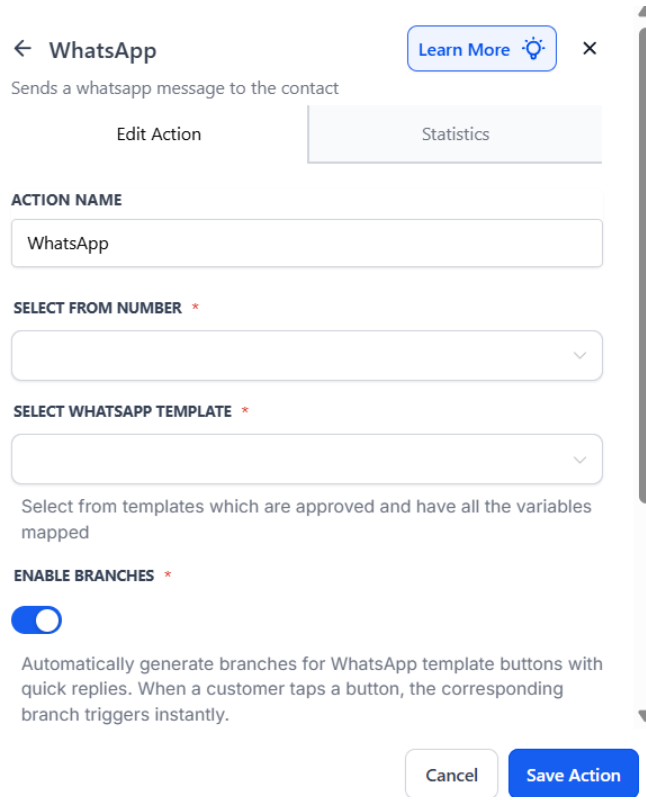
- Option 2: Within an Open Conversation (Customer Service Window)
This is beneficial if the customer sends you a message; for the next 24 hours, the utility messages will be free, meaning you won’t be charged for sending the WhatsApp flow.
- In a new workflow, select the “WhatsApp: Customer Service Window Check” action.
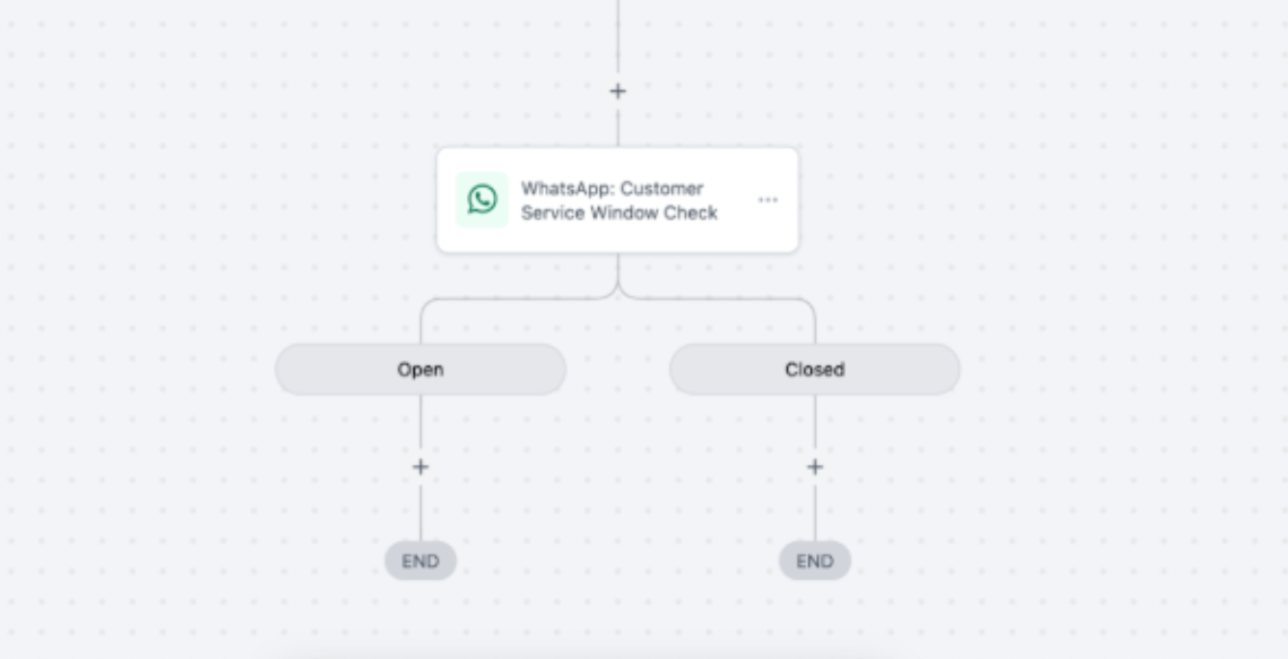
- Under the Open branch, add “WhatsApp: Send Flows” and select the WhatsApp Flow.

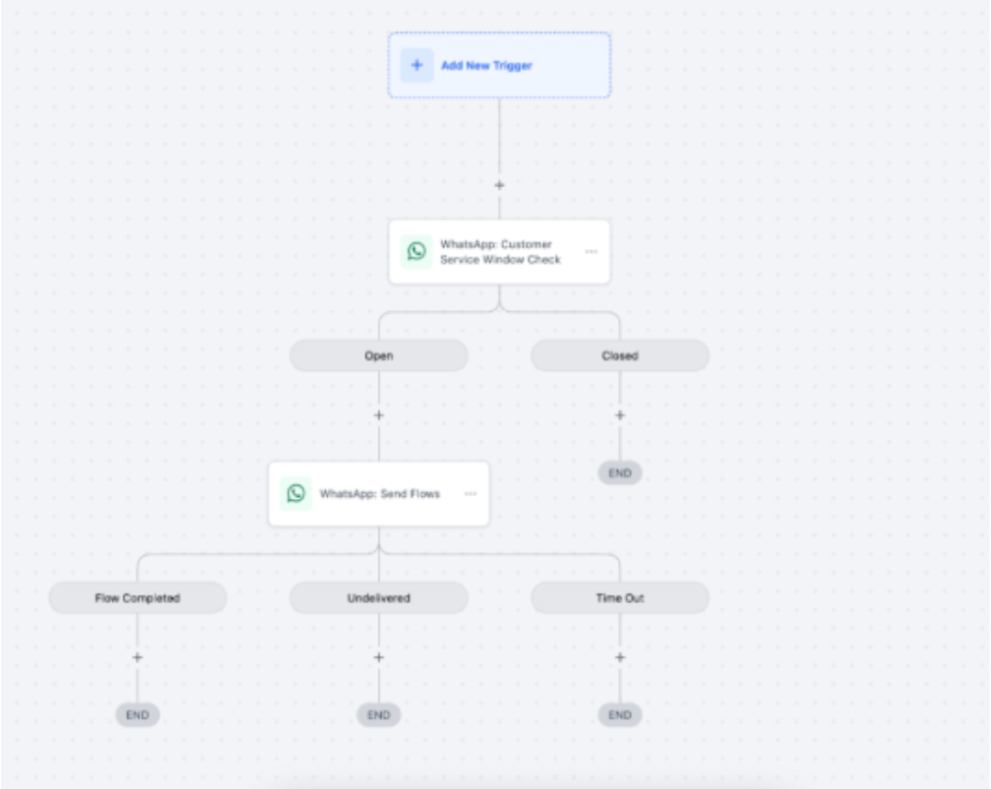
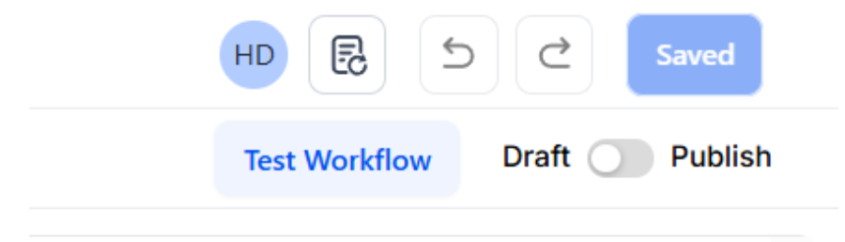
- When you are done, Publish and save the Workflow.
FAQs
- How do I send a WhatsApp Flow for appointment booking?
- You can send a WhatsApp Flow using either a template in a workflow or directly within an open conversation using the Customer Service Window.
- How can I personalize the appointment booking experience?
- Use default form fields for customer details, which are automatically pre-filled. Customize template variables to match customer preferences, offering a tailored experience.
- What are the key benefits of using WhatsApp Flows for appointment booking?
- By handling the booking directly within WhatsApp, the process is smoother and more engaging. Pre-filled customer details and step-by-step guidance also increase completion rates.
- Are there costs associated with sending WhatsApp Flows?
- The first 1,000 service conversations for appointment booking are free monthly, after which standard rates apply.
- What limitations should I be aware of?
- WhatsApp Flows currently do not support payment processing, recurring events, or custom fields for appointment booking. Collective and Class Calendars are also not supported.