
Customizable Product Detail Pages for Online Stores
Creating a tailored shopping experience has become a standard in e-commerce. Businesses have the ability to design Custom Product Detail Pages (PDPs) that function as dedicated landing pages for individual products. These pages offer flexibility beyond default templates, enabling greater control over layout, content, and product presentation. This article covers the main features and benefits of custom PDPs, explains how to set them up, and addresses common questions to help users make the most of this functionality.
Key Features and Benefits
1- Product Storytelling
Custom PDPs allow you to visually and narratively showcase each product, highlighting its use cases and benefits in a way that aligns with your brand voice.
2- Personalized Page Layouts
Move beyond cookie-cutter templates. With customizable sections, design freedom ensures your product pages reflect your brand aesthetics and customer journey goals.
3- Versatile Media Display
Store owners can choose from diverse layout styles to present product images. This includes traditional vertical stacks, horizontal sliders, or sophisticated grid views to better highlight product details.
4- Dedicated Landing Pages for Ads or Campaigns
Custom PDPs are ideal for paid ad campaigns or promotional traffic, enabling you to create high-conversion pages tailored for specific audiences or messages.
5- Conversion Potential
Strategic content placement, rich media integration, and user-friendly design elements help guide shoppers from interest to checkout faster.
6- Seamless Navigation and Compatibility
Whether customers land on a product from a product list, search, or external link, they’ll be routed to the correct PDP, ensuring a consistent experience.
7- Locale-Based Currency Formatting
To enhance global professional standards, prices can be automatically formatted based on regional standards. This ensures that separators, decimals, and currency symbols appear exactly as a local customer expects (e.g., $1,000.00 vs. €1.000,00).
How to Use Custom Product Details Pages
Step 1: Open the Builder
Navigate to your Site/Store Builder interface.
Step 2: Create a New Page
Click “Add New Page” and enable the Custom Product Detail Page toggle.
Step 3: Assign Products to the Page
A modal will appear where you can search for and assign products to this new custom PDP. Each product can only be linked to one custom PDP at a time.
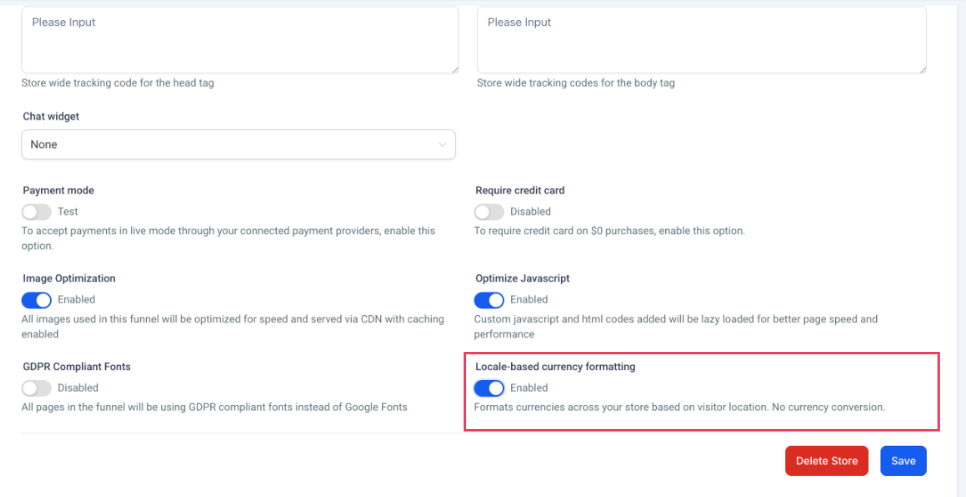
Step 4: Enable Regional Currency Formatting
- Navigate to Store Settings within your Ecommerce Store.
- Enable the toggle for “Locale-Based Currency Formatting."
3. Open the SEO & AI Search Optimization settings in the builder.
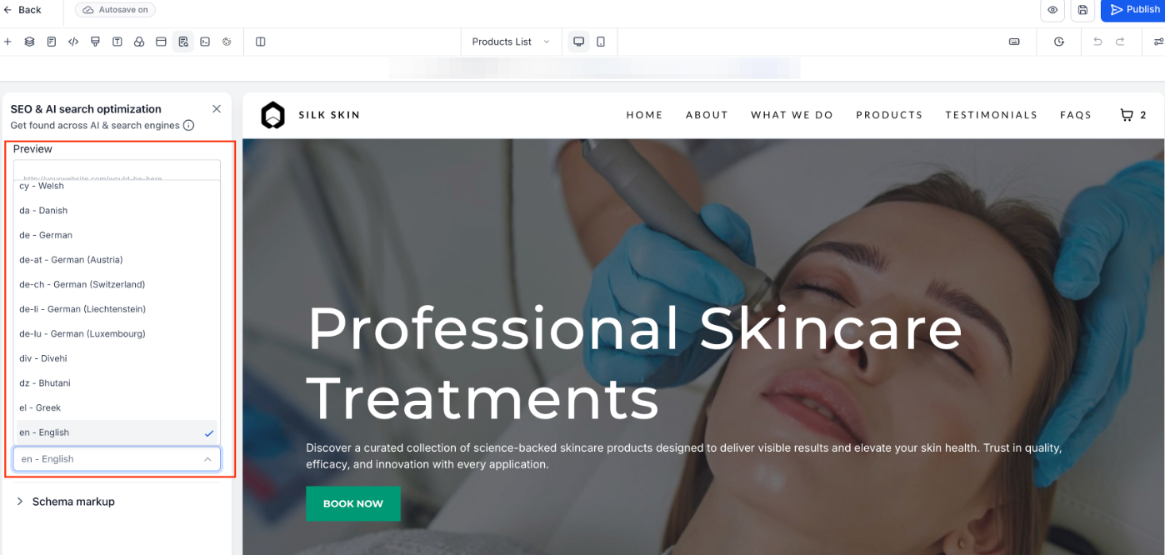
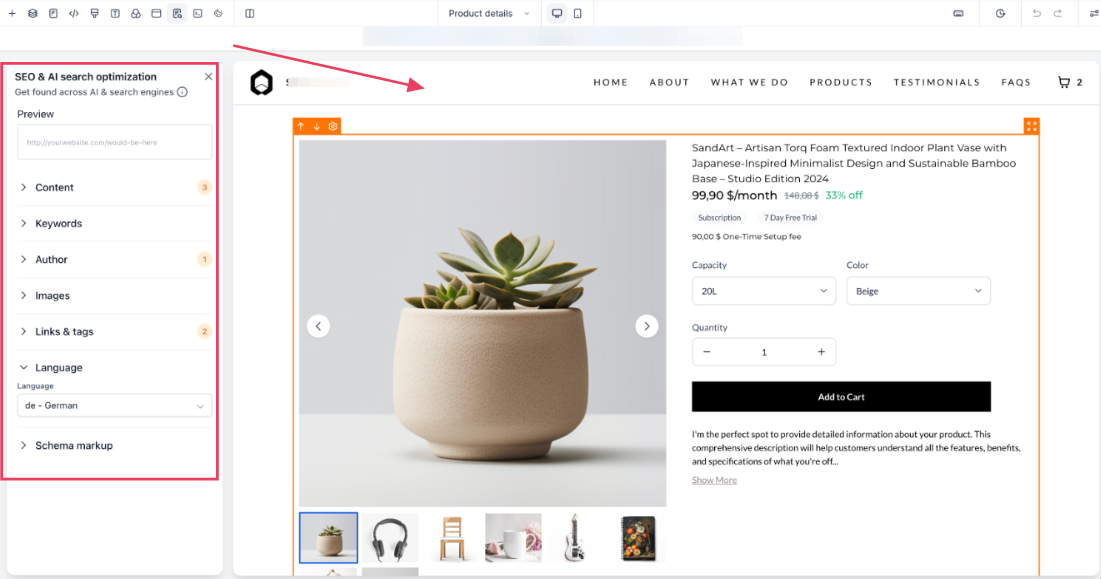
4. Under the Language section, set your intended Page Language.
5. Save and publish to apply smart detection based on the visitor’s location and page language.
Step 5: Customize the Page Design and Media Layout
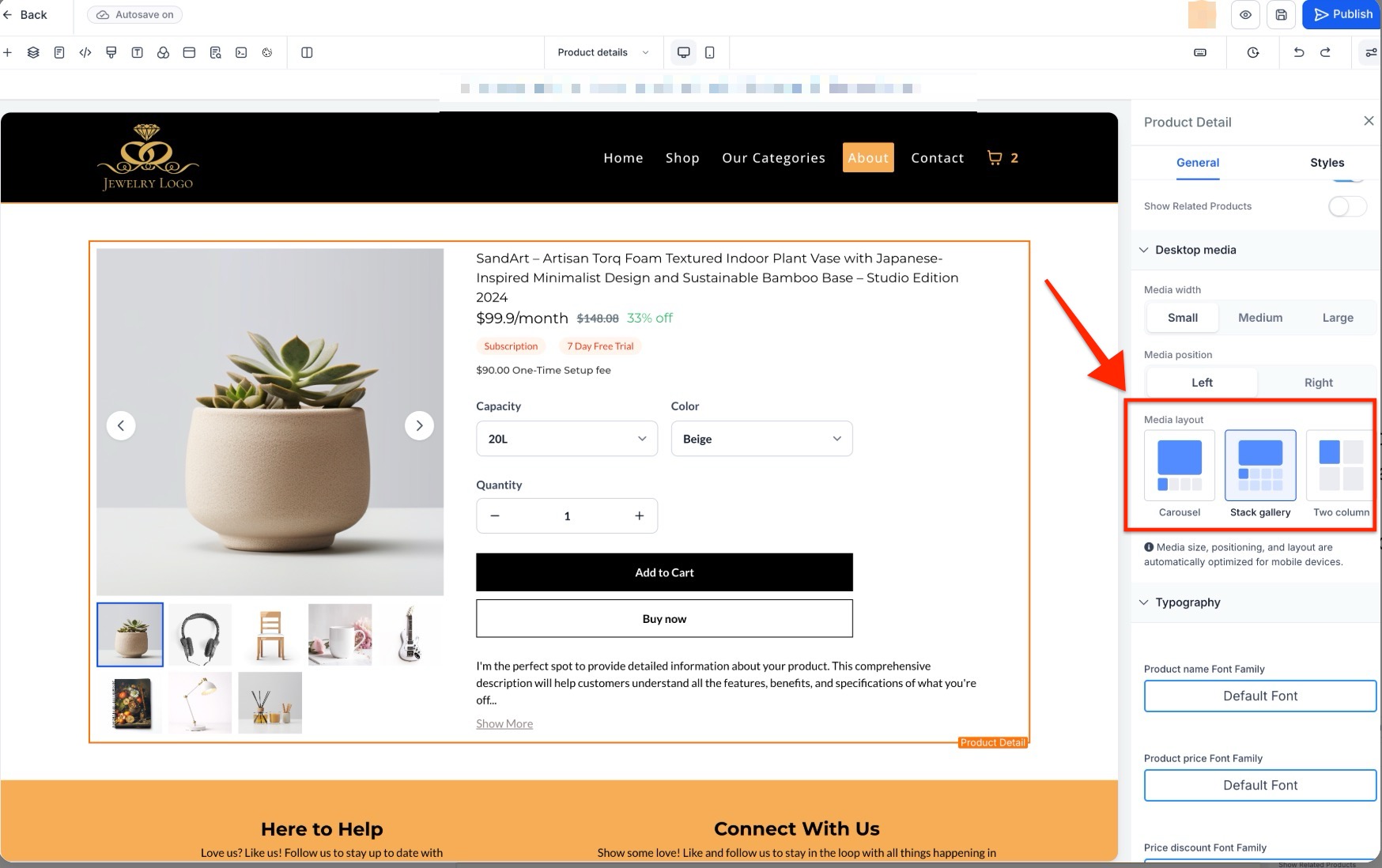
Use the builder to add sections and elements. To configure how your images appear, select the Product element and navigate to the media settings in the side panel. You can select from:
- Gallery: A classic vertical stacked display.
- Carousel: A horizontal slider with navigation arrows.
- Two Column: A side by side grid layout designed specifically for desktop viewing.
Step 6: Customize the Page Design
Use the builder to add sections, images, descriptions, reviews, testimonials, and other elements that help showcase the product effectively.
Step 7: Adjust Settings if Needed
You can reassign products to different PDPs by selecting the element and modifying the settings.
Step 8: Save and Publish
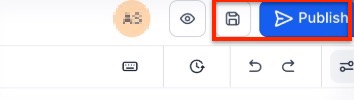
Once you're satisfied with the layout and assignments, save and publish the page. The selected products will now route to the new PDP.
Pro Tips
- Use High-Quality Visuals: Incorporate product videos, lifestyle imagery, and 360-degree views to give customers a better sense of the item.
- Optimize for Device Type: While the Two Column layout offers a premium look for desktop users, the system will automatically use a Carousel layout on mobile devices to ensure the best possible browsing experience.
- Tell a Story: Instead of just listing features, tell how the product solves a problem or enhances the customer’s life.
- Include Social Proof: Add customer reviews, ratings, or testimonials to build trust.
- Match PDP Design to Campaigns: For seasonal promotions or influencer partnerships, match the custom PDP’s look and feel to the broader campaign.
- Use Anchor Links for Long Pages: If your PDP is content-rich, anchor links improve navigation and user experience.
FAQs
Question: Can a single product have more than one custom PDP?
Answer: No. Each product can only be assigned to one custom PDP at a time. Assigning it to a page will automatically remove it from any previously linked PDP.
Question: What happens if I delete a custom PDP?
Answer: Any product previously linked to that page will automatically revert to its standard, default product detail page. There’s no manual reassignment needed in this case.
Question: Will customers land on the correct PDP from any link?
Answer: Yes. Regardless of where the product link appears on the product list, section, or an external link, customers will be directed to the correct custom PDP if one exists.
Question: Can I reassign a product to another custom PDP later?
Answer: Absolutely. You can reassign a product by editing the settings on the current PDP or selecting the product in the new page and making the change.
Question: Are there limits to how many custom PDPs I can create?
Answer: This depends on your specific platform and subscription model. However, from a functionality standpoint, there are no inherent limits on how many custom PDPs you can design and assign.
Question: Can I modify the design of a custom PDP after it’s been published?
Answer: Yes, you can make changes to a custom PDP at any time after it’s been published. Simply navigate to the page within your builder, adjust the layout or content as needed, and save the changes. Any updates you make will be reflected immediately on the live page.
Question: Can I use custom PDPs for specific paid advertising campaigns or promotions?
Answer: Yes. Custom PDPs are ideal for paid ad campaigns or promotional traffic, as they allow you to create high-conversion pages tailored for specific audiences or messages.
Question: How do I handle navigation for a very long, content-rich product page?
Answer: For pages with a lot of media and information, it is recommended to use anchor links. This improves the user experience by allowing customers to jump to specific sections quickly.