
How to Delete a Twilio Phone Number
You may want to remove or reset a phone number from Mastermind. To delete or reset a Twilio number, follow these simple steps:
Deleting a Twilio Number
Step 1: Navigate to Settings located on the bottom left > Phone Numbers.
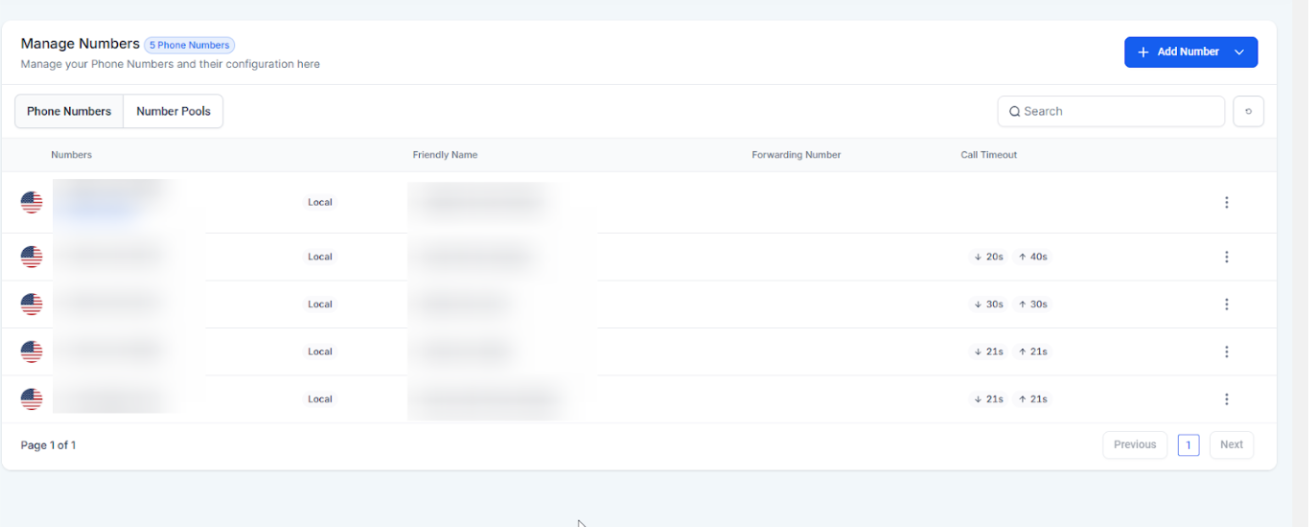
Step 2: Choose the phone number you wish to delete.
- Click the three dots on the right side and select Delete Number
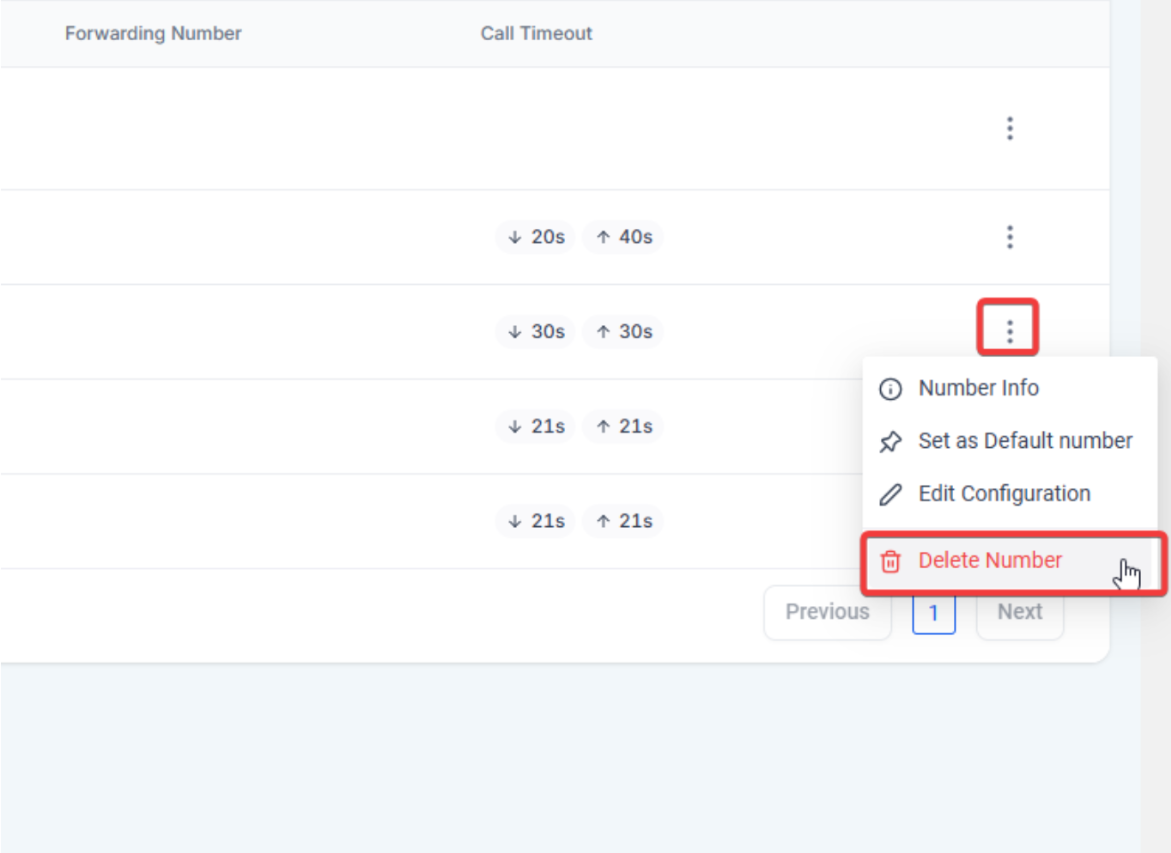
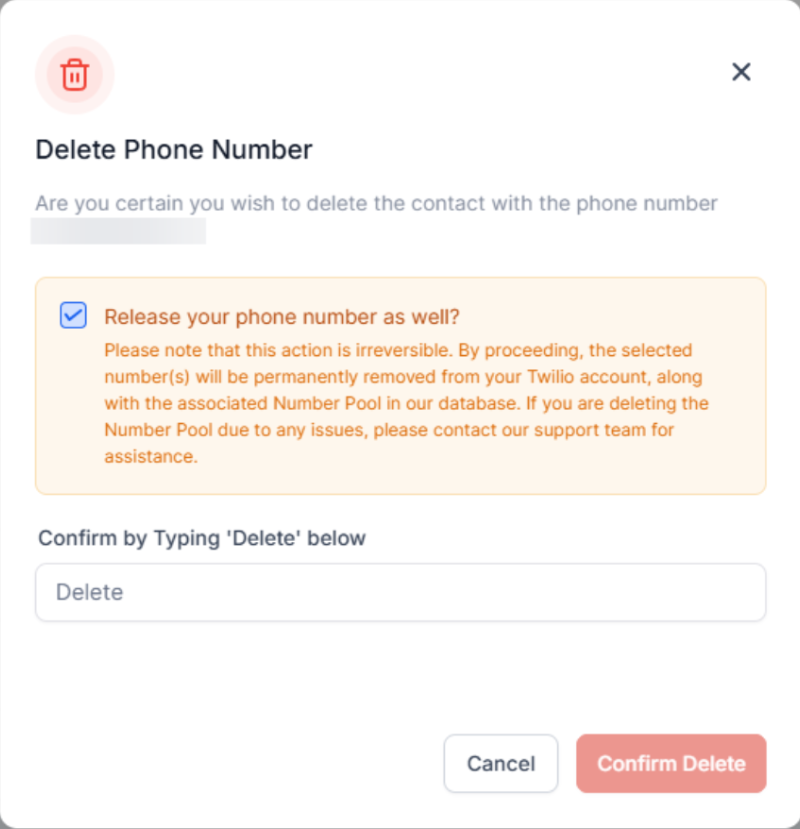
Step 3: Confirm the deletion by typing “Delete” in the popup window.
Resetting a Twilio Number
To keep or reset the Twilio number webhooks, uncheck the “Release your phone number as well” to retain the number within your Twilio sub-account and click "Confirm Delete"
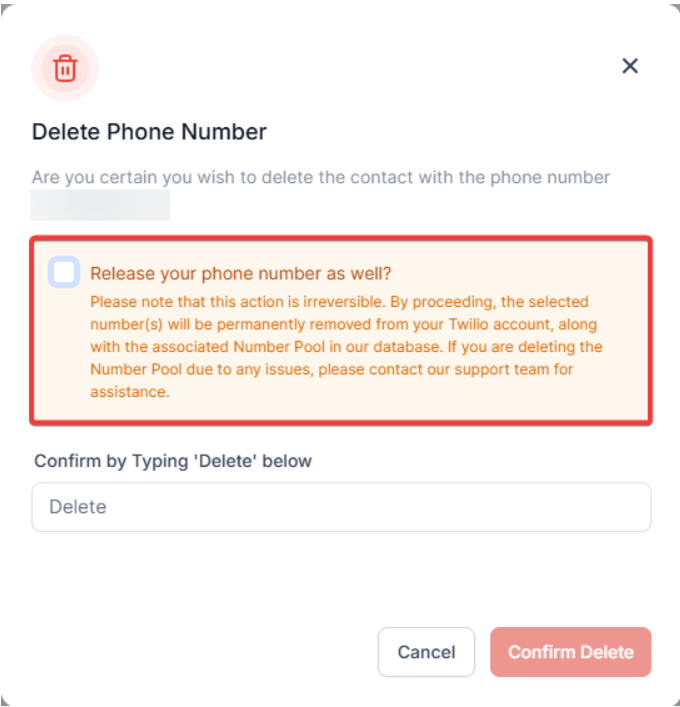
Note: Released numbers are reserved for ten days. After this period, contact Twilio support to retrieve the number. If the sub-account is managed through another system, contact their support team.
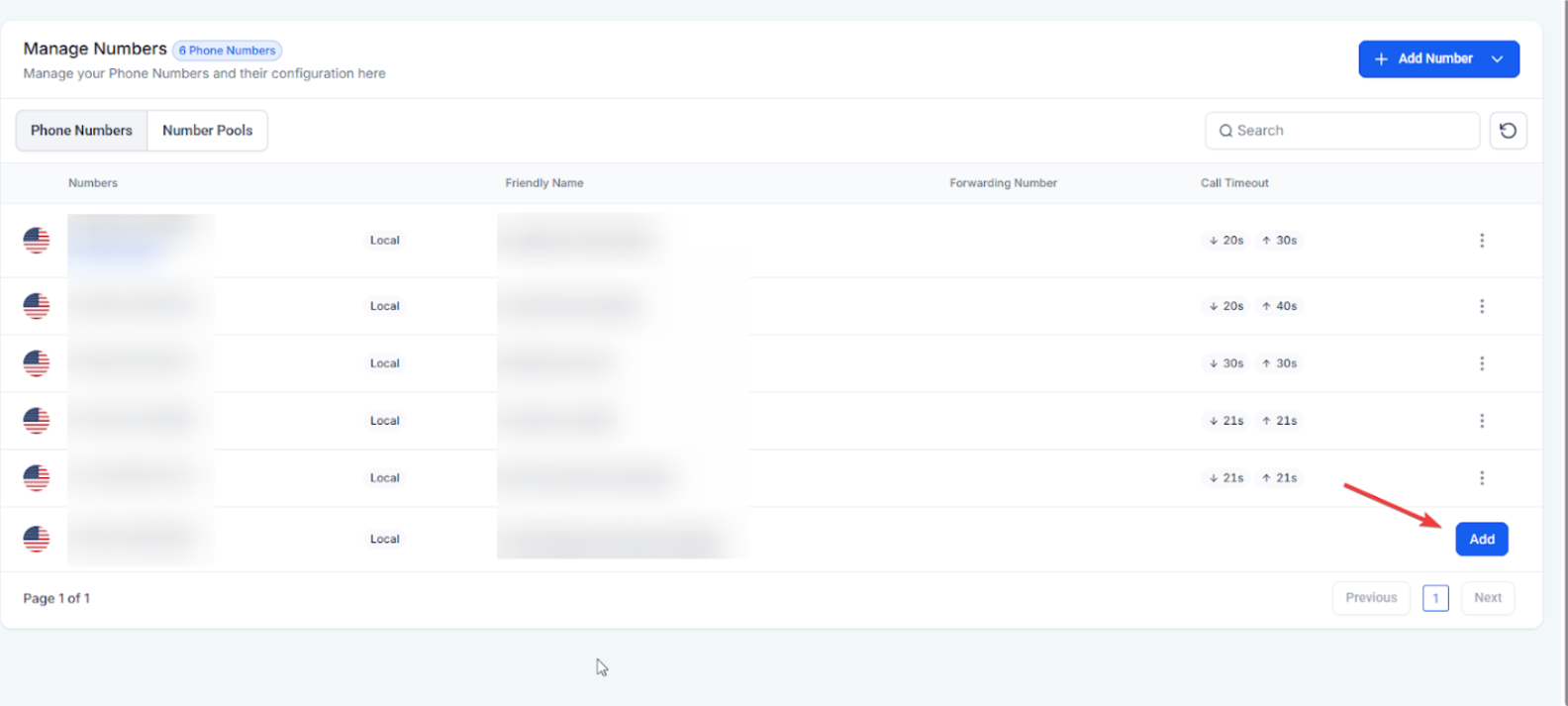
Add the Twilio number to the account. This action will reset the Twilio number's webhook.
FAQ
Question: How do I delete a Twilio number from my account?
Answer: Navigate to Settings > Phone Numbers, select the number you want to delete, click the three dots, and choose "Delete Number." Confirm by typing "Delete" in the popup window.
Question: Can I reset my Twilio number instead of deleting it?
Answer: Yes, you can reset your Twilio number's webhooks by unchecking the "Release your phone number as well" option, and then clicking "Confirm Delete" to retain the number within your Twilio sub-account.
Question: What happens if I release a Twilio number?
Answer: Released numbers are reserved for ten days. After this period, you must contact Twilio support to retrieve the number.
Question: What if my Twilio sub-account is managed through another system?
Answer: If your Twilio sub-account is managed through another system, you'll need to reach out to their support team for assistance.
Question: Can I retrieve a Twilio number after it has been released?
Answer: Yes, released Twilio numbers are reserved for ten days. After this period, you will need to contact Twilio support to retrieve the number.
Question: How do I reset the webhook for my Twilio number without deleting it?
Answer: You can reset the Twilio number's webhook by unchecking the “Release your phone number as well” option, which will allow you to retain the number in your Twilio sub-account while resetting the webhooks.
Question:Why would I need to delete or reset a Twilio number?
Answer: You may want to delete or reset a Twilio number if it’s no longer needed, incorrectly configured, or experiencing webhook or communication issues.
Question: What is the final step to complete a webhook reset for my phone number?
Answer: After you have deleted the number from the platform while retaining it in your Twilio sub-account, you must add the Twilio number back to the account. This specific action is what triggers the reset of the Twilio number's webhook.
Question: Will I still be charged for a phone number if I remove it from the platform but don't "Release" it?
Answer: Yes. If you uncheck the "Release" box, you still own the number. The carrier will continue to charge the monthly rental fee for that line until it is fully released. Only use this method if you intend to re-add the number or keep it for future use.