
How to use an Existing Phone Number for Voice Calls
You do not need to purchase a phone number to make voice calls. You can verify a number you already own and use it as your "Verified Caller ID." When you call contacts, they will see your familiar business or personal number on their screen.
Practical Use Case: If you are a new user who already has a well-known business line, you don't have to wait to buy and set up a new number. You can verify your current office line in minutes and start calling leads immediately, ensuring they recognize your number and are more likely to answer.
Instructions (Step-by-Step):
To begin setup, click the Phone/Dialer icon in the top right corner of your dashboard.
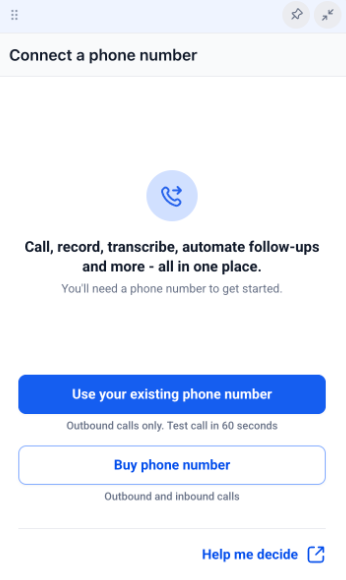
To use your current line, click the option labeled Use your existing phone number.
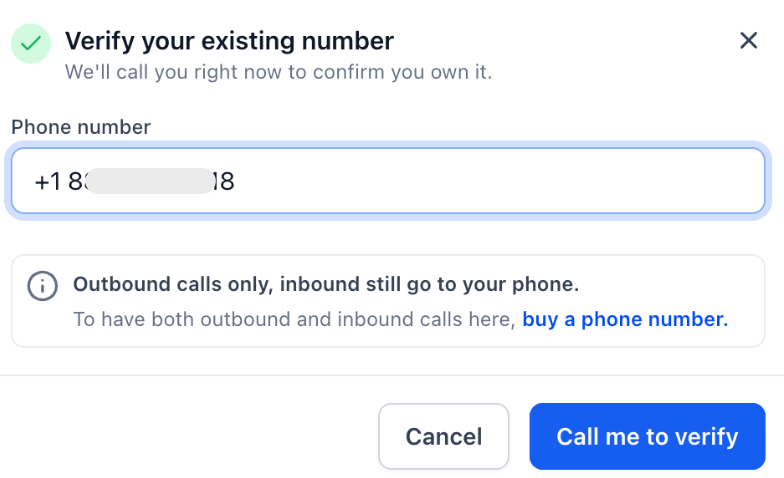
To identify your line, enter the existing phone number you wish to use for outbound calls and click Verify.
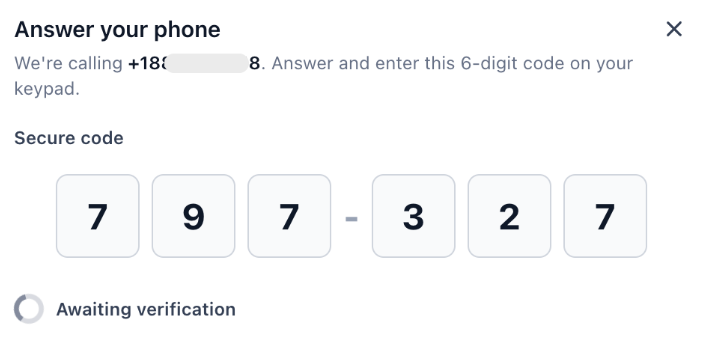
To verify ownership, answer the automated call you receive on that number and enter the 6-digit code displayed on your screen.
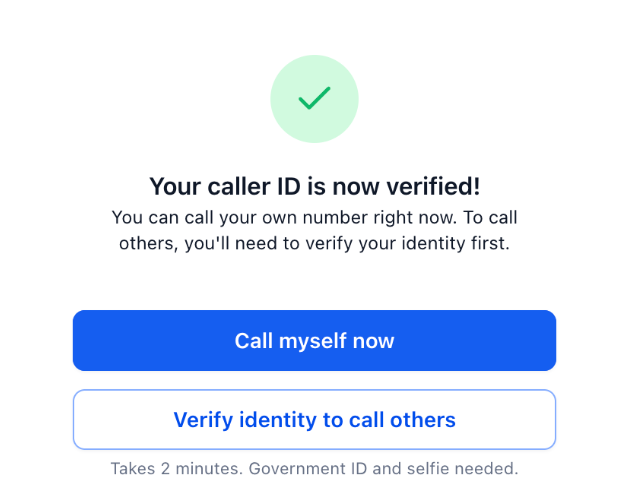
To unlock calling for all contacts, complete the one-time Identity Verification using a government-issued ID and a selfie.
Note: You can call your own number to test the system immediately, but the ID check is required before you can call other people.
To manage your settings later, navigate to Settings > Phone System > Verified Caller ID.
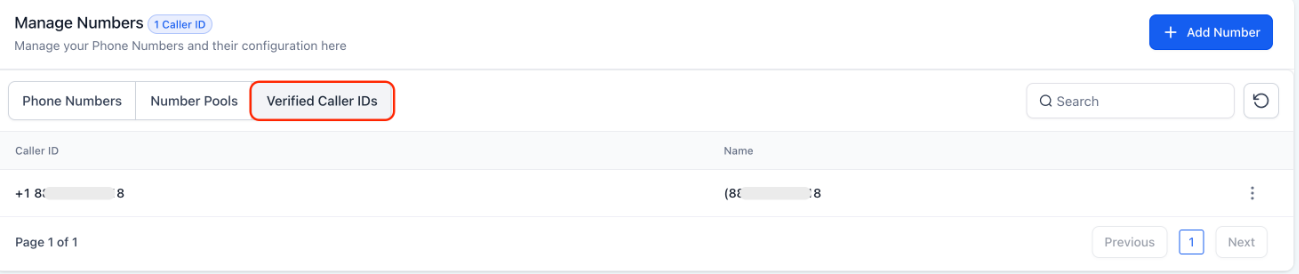
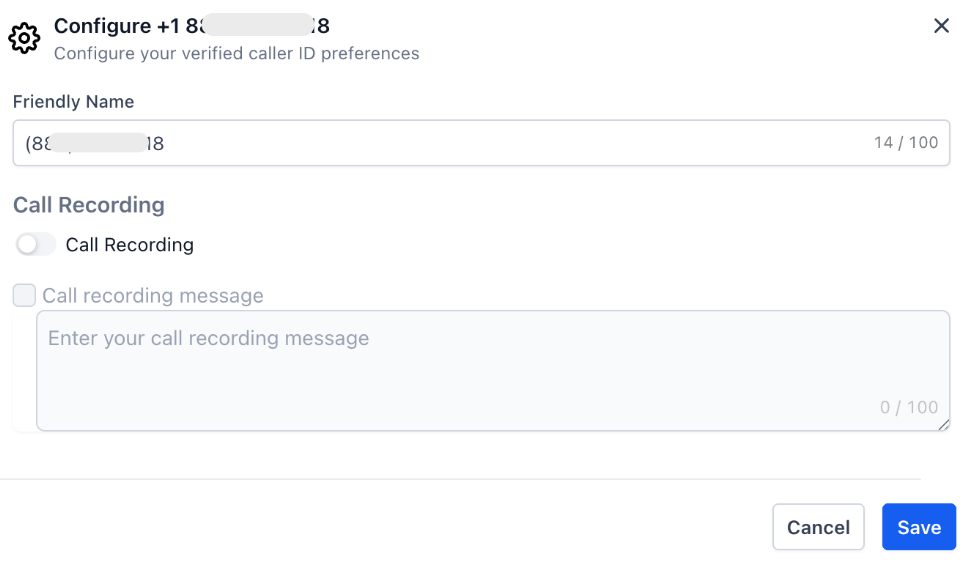
To record your conversations, click the three-dot menu next to your verified number and select Enable Call Recording.
FAQs
Question: What happens when a contact calls me back?
Answer: Inbound calls will continue to ring on your existing phone or landline as they always have. This feature only changes the "Caller ID" that people see when you call them from within Mastermind.
Question: Can I still buy a dedicated number later?
Answer: Absolutely. You can purchase a dedicated number within Mastermind at any time if you decide you want to handle inbound calls, SMS, and advanced call routing directly through the platform.
Question: Do I need to verify my identity more than once?
Answer: No. The identity verification (government ID and selfie check) is a one-time requirement per Mastermind. Once your identity is confirmed, you can use your verified number to reach out to any of your contacts.
Question: Can I still use my phone number outside of the platform?
Answer: Yes. Verifying your number for use within Mastermind does not affect your regular phone service. You can still make and receive calls on your mobile device or landline exactly as you did before.