
Listings - Duplicate Suppression Management
The purpose of this article is to provide a comprehensive guide to Duplicate Suppression Management, a specialized tool designed to help businesses identify and eliminate redundant listings across the digital landscape. In the world of local search, having multiple entries for the same business can fracture your online presence. This feature centralizes the control of your business identity, allowing you to find, verify, and suppress duplicates to ensure your data remains clean and authoritative.
Key Features and Benefits
Automated Duplicate Detection: Perform automated scans that identify potential duplicates across major directories, saving hours of manual searching.
Centralized Command Center: View all flagged entries in one dashboard, categorized by status: Possible Duplicates, Processing Suppression, Suppressed, and Unable to Suppress.
Direct Suppression Requests: Submit removal requests directly to publishers without leaving the interface.
Search Engine Optimization (SEO) Protection: By eliminating "listing drift," you strengthen the authority of your primary listing, which can lead to higher rankings in local search results.
URL Redirection: In many cases, suppressed duplicate URLs are redirected to your authoritative listing, ensuring that traffic is never lost.
False Positive Identification: Easily mark entries as "Not a Duplicate" to permanently remove them from the scan list and keep your data accurate.
How to Use Duplicate Suppression
Navigate to Listings: Open the Listings section within Mastermind by going to Tools & Reporting > Listings
Access the Suppression Tab: Click on the Duplicate Suppression tab to view your current scan results.
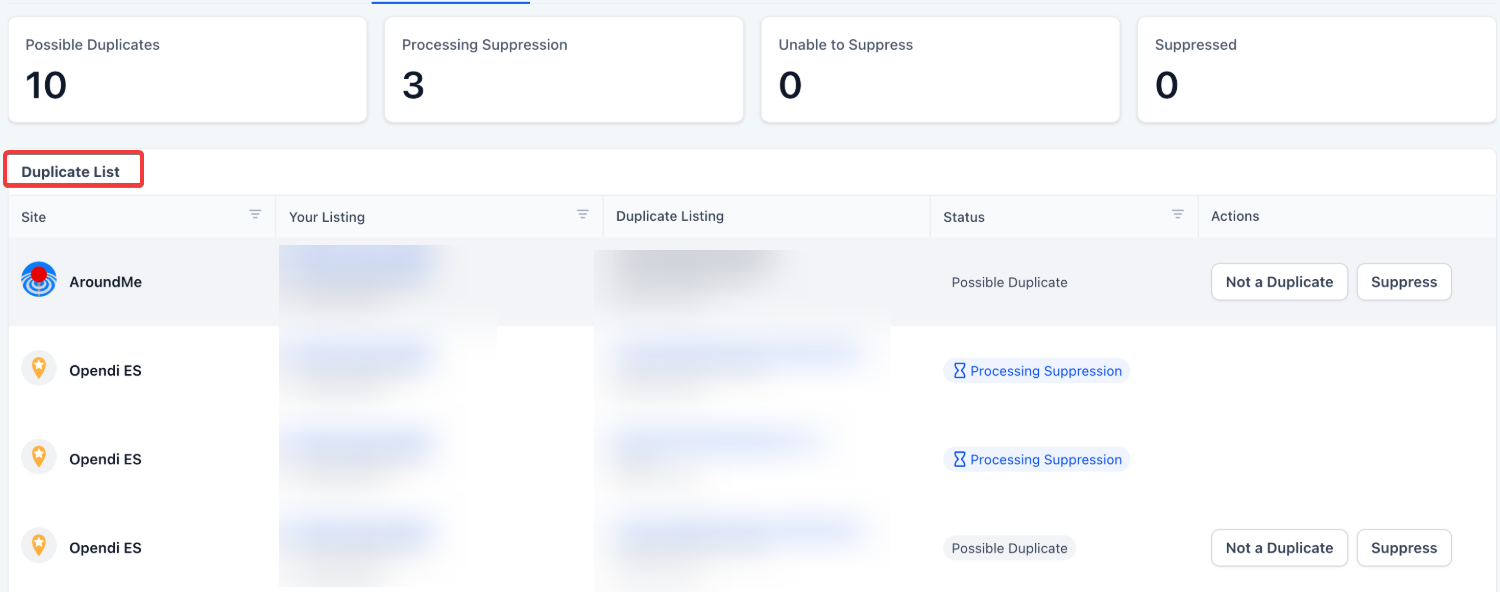
Review Flagged Entries: Examine the list provided. The dashboard will show your "correct" listing side-by-side with the "potential duplicate" and the directory site where it was found.
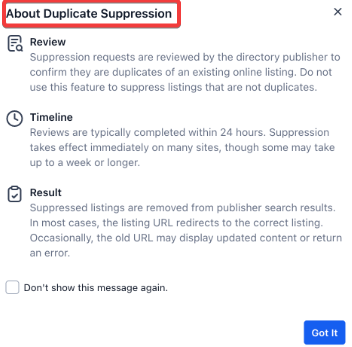
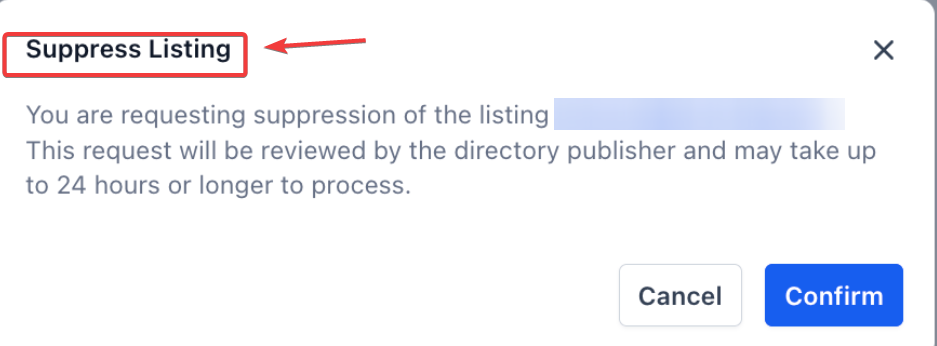
Verify and Act: Click Suppress if the entry is a confirmed duplicate. This sends a request to the publisher for removal.
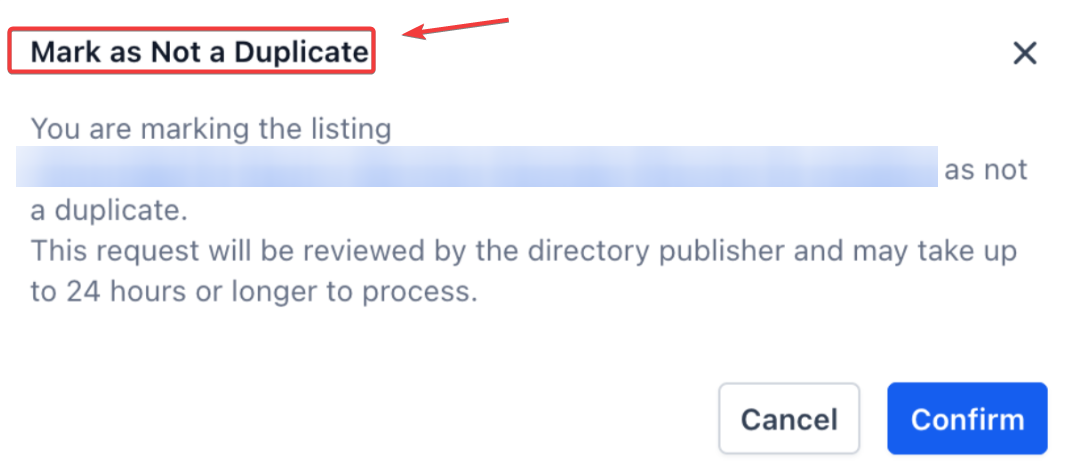
Click Not a Duplicate if the flagged entry is unique or belongs to a different entity.
Monitor Progress: Use the status indicators to track the suppression request. Most publishers review these within 24 hours, though some directories may take longer.
Pro Tips for Success
Check for Brand Consistency First: Before initiating suppression, ensure your primary listing information (Name, Address, Phone Number) is 100% accurate in Mastermind. Suppression works best when the system knows exactly what the "correct" version looks like.
Monthly Maintenance: Even after cleaning your listings, new duplicates can appear due to third-party data aggregators. Set a monthly reminder to check your dashboard for new "Possible Duplicates."
The Power of Redirects: Remember that suppression is often better than simple deletion. By using the suppression tool, publishers often create a 301 redirect from the old duplicate to your current listing, passing on any "link juice" or SEO value the old page might have held.
FAQs
Question: What exactly happens when I click "Suppress"?
Answer: A formal request is sent to the directory publisher. Once reviewed and approved by both the central data provider and the specific publisher, the duplicate listing is removed from search results or merged with your primary listing.
Question: Why can't I just delete the listing myself on the directory site?
Answer: While manual deletion is sometimes possible, it is time-consuming and often temporary. Aggregators may "re-create" the listing if it isn't suppressed at the source level. Mastermind handles this at a deeper level to ensure the duplicate stays gone.
Question: How long does the suppression process take?
Answer: Most publishers review requests within 24 hours. However, depending on the specific directory's internal protocols, it can take several days for the listing to completely disappear from public search results.
Question: What should I do if a listing is marked "Unable to Suppress"?
Answer: This typically happens if the publisher requires manual verification or if the data is tied to a verified account you own. In these cases, you may need to log in to that specific directory directly to resolve the conflict.
Question: Will suppressing a duplicate listing delete my customer reviews?
Answer: This depends on the publisher. Some directories will merge reviews into your primary listing during the suppression process, while others may simply remove the listing. It is recommended to check the specific directory's policy if you have high-value reviews on a duplicate page.
Question: What is the difference between "Processing" and "Suppressed"?
Answer: Processing means the request has been successfully delivered to the publisher and is awaiting their internal review. Suppressed means the publisher has confirmed the listing is hidden, removed, or merged into your primary profile.